
How to Print on the cloud

To print on the cloud is so much easy

  1. On any application on the cloud just click print:
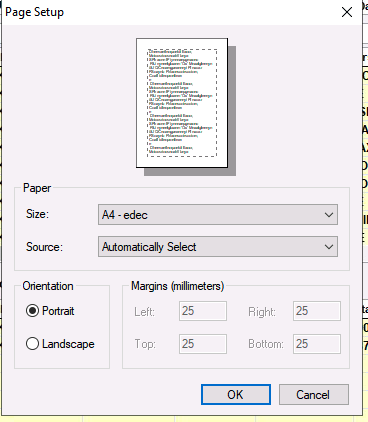
2. Select the correct paper size
3. By default is under "guacamole" or just select "guacamole" printer and click print...
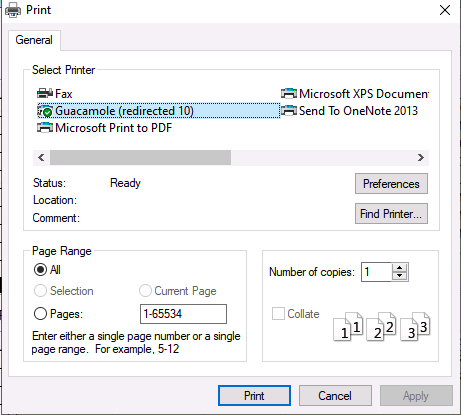
Now the file will download as a PDF and saved at your local file (in normal cycle the default file location will be in Download folder)

  • 0 A felhasználók hasznosnak találták ezt
Hasznosnak találta ezt a választ?

Kapcsolódó cikkek

How to Login to Cloud

Access your computers from anywhere Our Cloud is an HTML5 web application, use of your computers...

How to Get file from Cloud to Local PC

Temporary file management is available for cloud and local PC, just a simple few steps. This is...